
Update with Terminal or PowerShell
If you installed Handlus from a zip file, Chrome does not update it for you. Paste one line into Terminal (Mac, Linux) or PowerShell (Windows) and it swaps in the new version. The extension then reloads itself. It takes about a minute.
Installed from the Chrome Web Store? Chrome updates it on its own, so you can skip this page.
Copy the command
Press Copy. The same line is in the Handlus popup: open the update notice and pick the “With one command” tab.
curl -fsSL https://handlus.com/update.sh | sh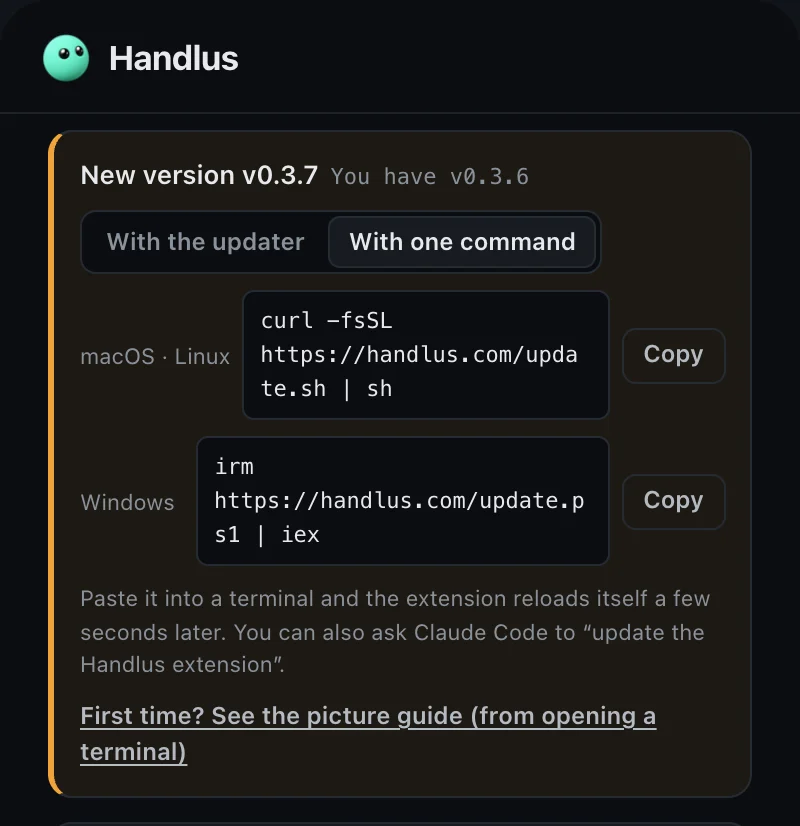
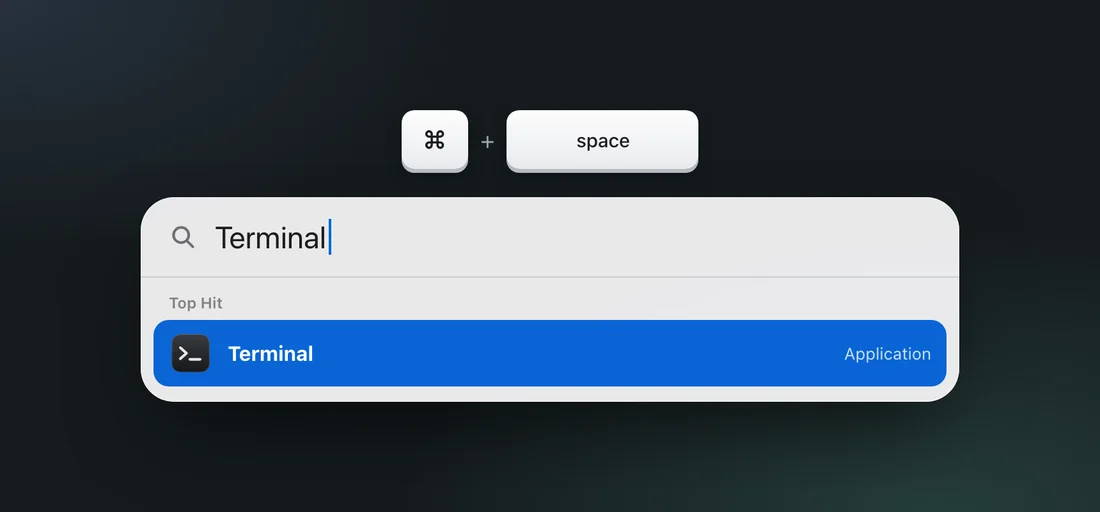
Open Terminal
Press ⌘+Space, type Terminal, then press Enter.
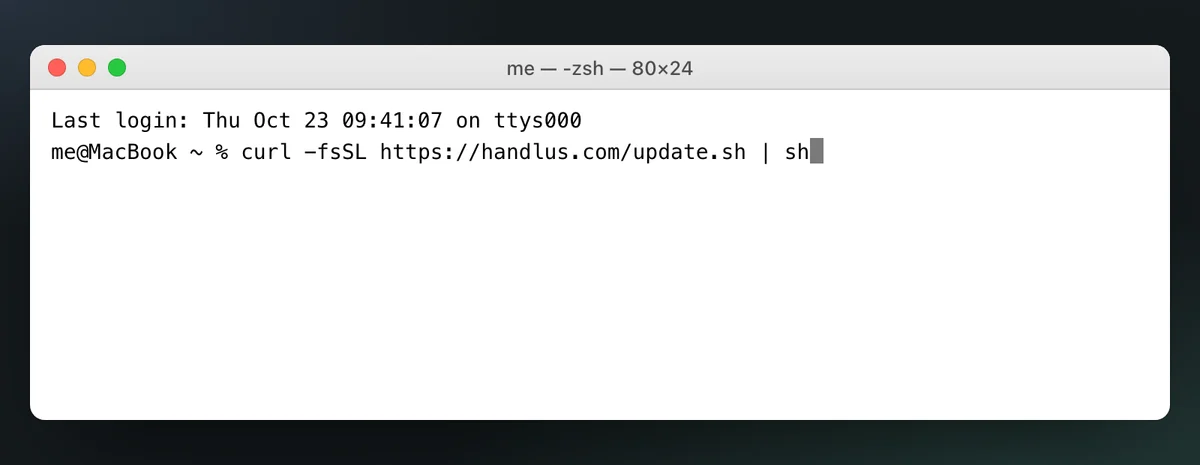
Paste and press Enter
Press ⌘+V to paste, then press Enter.
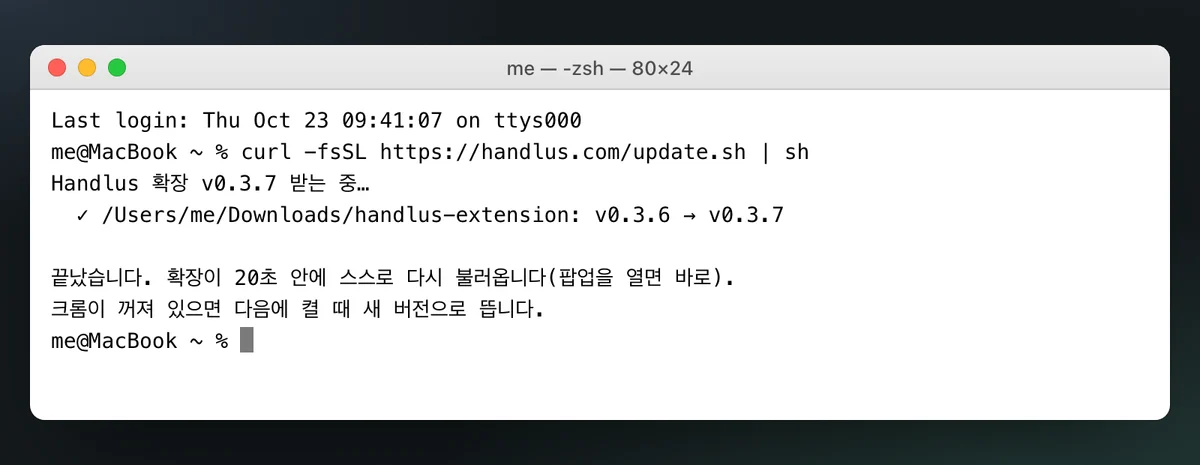
Wait for “끝났습니다” (Done)
It takes a few seconds. You get a ✓ line for each Chrome that has Handlus, then 끝났습니다. You can close the window after that.
Check the popup
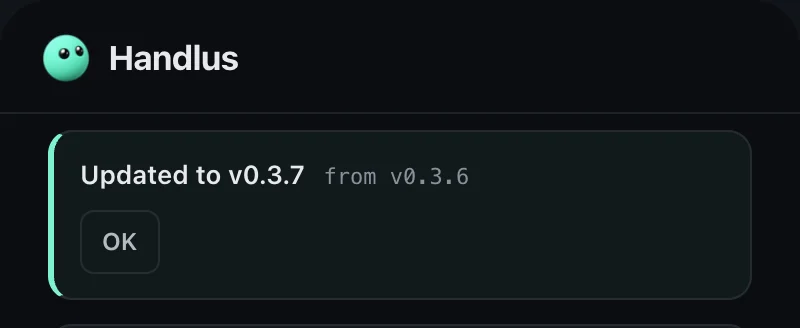
Open the Handlus popup in Chrome. When it says “Updated to v…”, you are done. The extension reloads itself within 20 seconds, right away if you open the popup.
Copy the command
Press Copy. The same line is in the Handlus popup: open the update notice and pick the “With one command” tab.
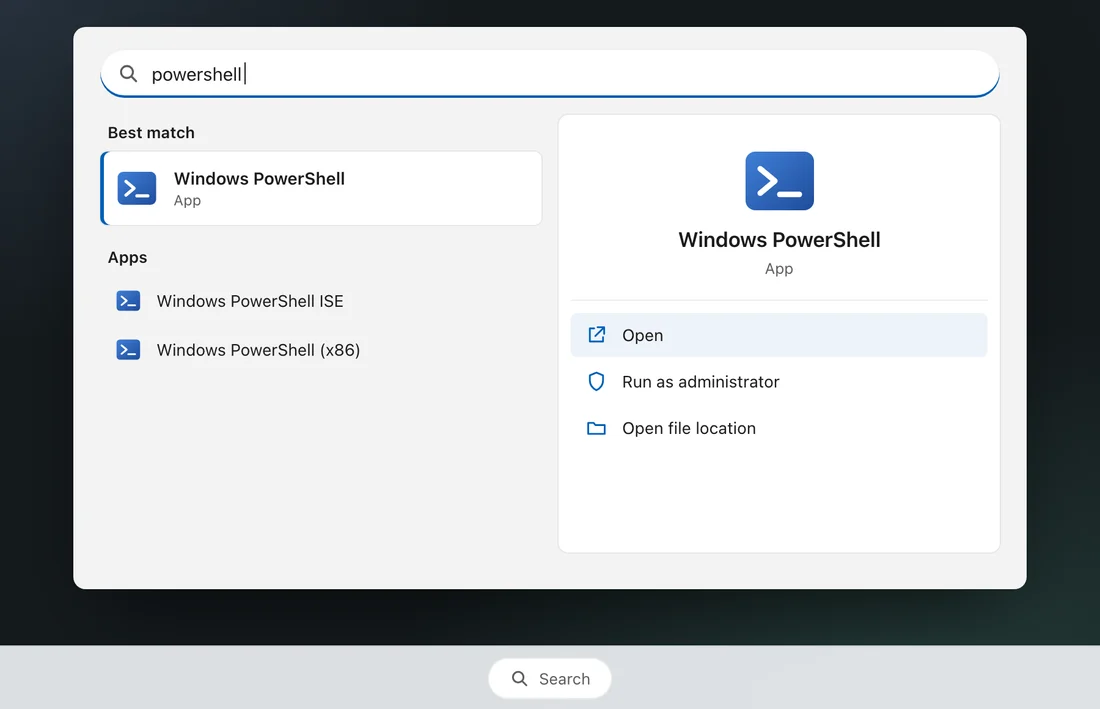
irm https://handlus.com/update.ps1 | iexOpen PowerShell
Press the ⊞ Windows key, type powershell, then press Enter.
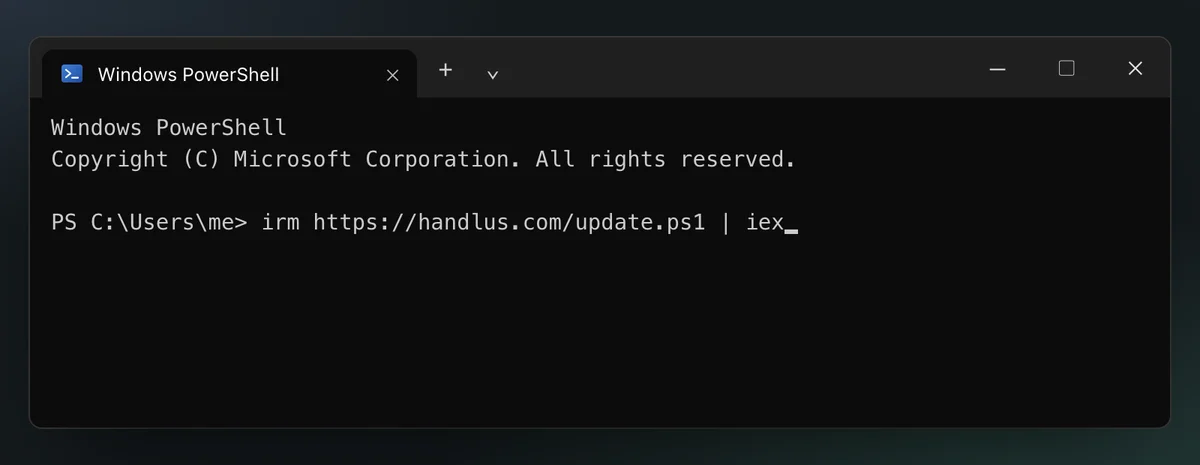
Paste and press Enter
Press Ctrl+V (or right-click) to paste, then press Enter.
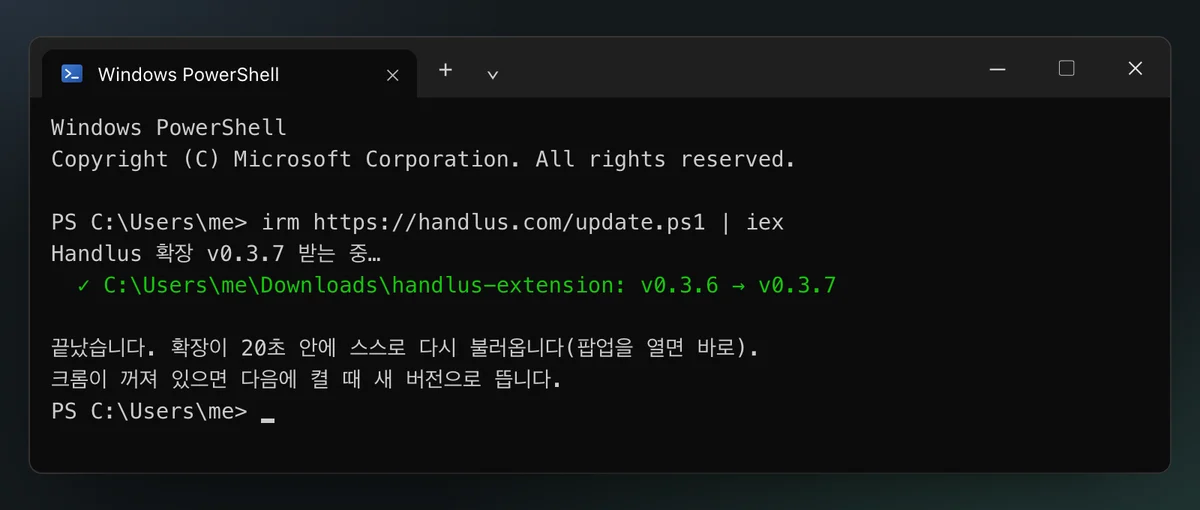
Wait for “끝났습니다” (Done)
It takes a few seconds. You get a ✓ line for each Chrome that has Handlus, then 끝났습니다. You can close the window after that.
Check the popup
Open the Handlus popup in Chrome. When it says “Updated to v…”, you are done. The extension reloads itself within 20 seconds, right away if you open the popup.
Copy the command
Press Copy. The same line is in the Handlus popup: open the update notice and pick the “With one command” tab.
curl -fsSL https://handlus.com/update.sh | shOpen a terminal
Press Ctrl+Alt+T. If nothing opens, find Terminal in your app list.
Paste and press Enter
Press Ctrl+Shift+V to paste, then press Enter. In a Linux terminal, Ctrl + V does not paste.
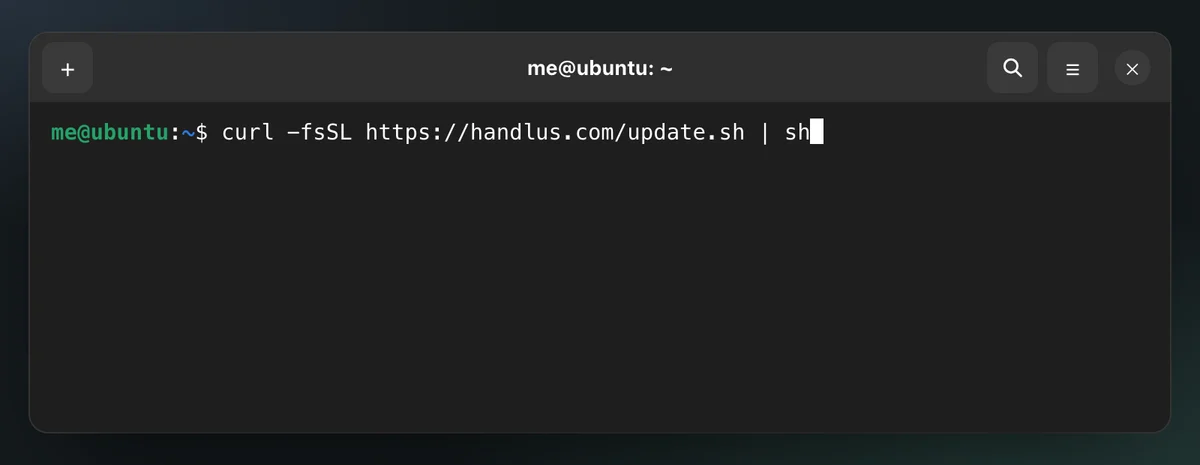
Wait for “끝났습니다” (Done)
It takes a few seconds. You get a ✓ line for each Chrome that has Handlus, then 끝났습니다. You can close the window after that.
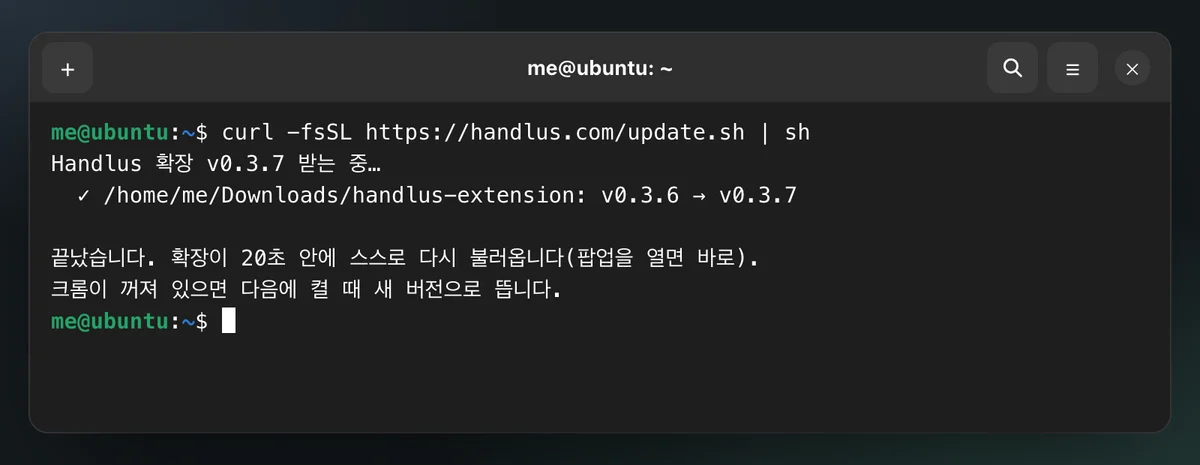
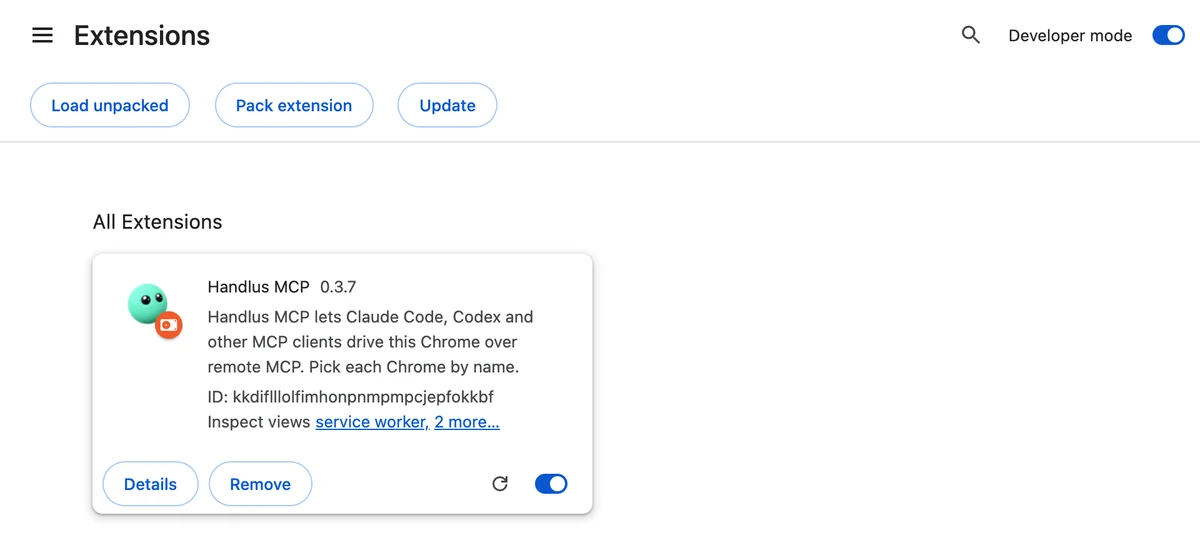
Check the popup
Open the Handlus popup in Chrome. When it says “Updated to v…”, you are done. The extension reloads itself within 20 seconds, right away if you open the popup.
What the terminal says
The messages are in Korean for now. Here is what each line means.
- Handlus 확장 v‹new› 받는 중…
- Downloading the new version.
- ✓ ‹folder›: v‹current› → v‹new›
- This folder now has the new version. One line for each Chrome that has Handlus.
- ✓ ‹folder›: 이미 최신(v‹new›)
- Already up to date, so nothing changed.
- 끝났습니다. 확장이 20초 안에 스스로 다시 불러옵니다(팝업을 열면 바로).
- Done. The extension reloads itself within 20 seconds (right away if you open the popup).
- 크롬이 꺼져 있으면 다음에 켤 때 새 버전으로 뜹니다.
- If Chrome is closed, the new version loads the next time you open it.
If you get stuck
“크롬에서 Handlus 확장 폴더를 찾지 못했습니다” (folder not found)
The command could not find the folder Chrome loads Handlus from. Open chrome://extensions, turn on Developer mode and click Details on Handlus. The folder is next to “Loaded from”. Put that folder in the command (change the path to yours):
Mac · Linux
curl -fsSL https://handlus.com/update.sh | sh -s -- "~/Downloads/handlus-extension"Windows
$env:VIBEHAND_EXT_DIR = 'C:\Users\me\Downloads\handlus-extension'; irm https://handlus.com/update.ps1 | iex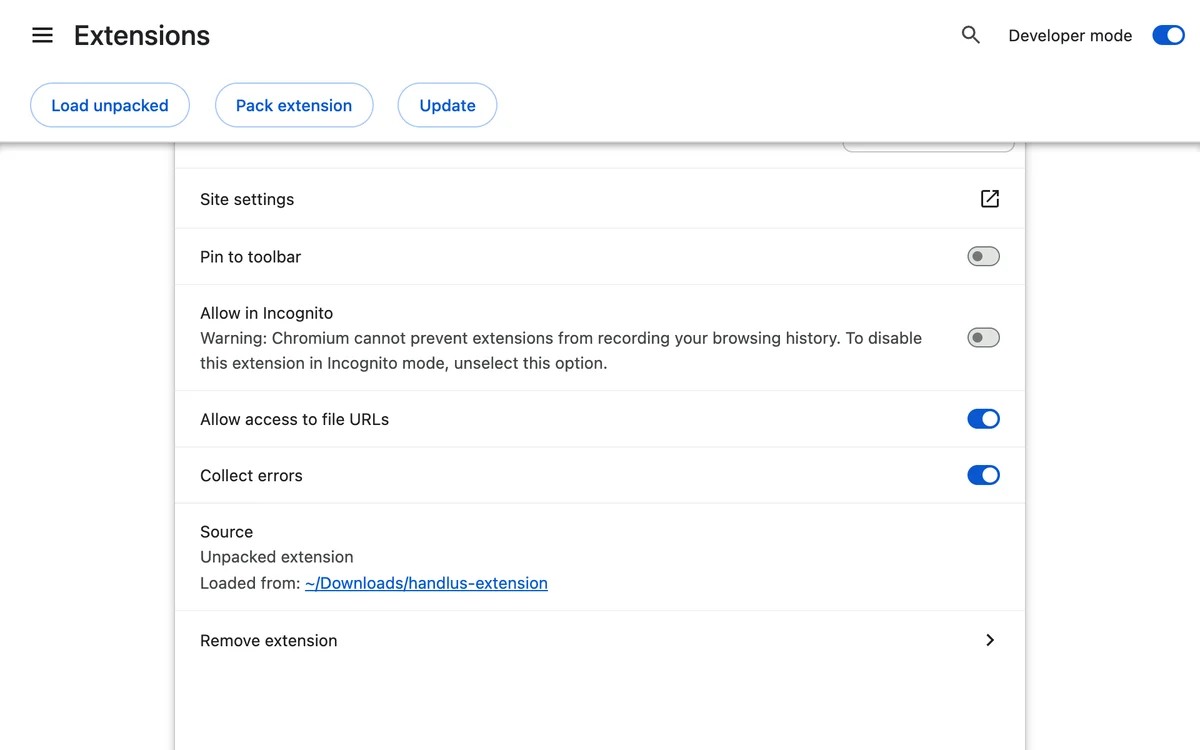
“is not recognized as an internal or external command” or “command not found”
The line went into the wrong window. On Windows, open PowerShell (step 2), not Command Prompt. On Mac and Linux, use the line that starts with curl.
The popup still shows the old version
Close the popup and open it again. If it still shows the old version, open chrome://extensions and press ⟳ (reload) on the Handlus card.
“✗ … 쓸 권한이 없습니다” (no permission)
Your account cannot change that folder. On Windows, open PowerShell with “Run as administrator” and paste again. On Mac and Linux, make the folder yours once (it asks for this computer’s login password), then run the update command again:
Mac · Linux
sudo chown -R "$(whoami)" "/path/to/handlus-extension"curl -fsSL https://handlus.com/update.sh | sh“받은 파일의 SHA-256 이 다릅니다” (download did not match)
The download was cut off or changed on the way, so nothing was changed. Run it again in a moment. If it keeps happening, try another network. A company proxy can cause this.
curl or unzip is missing (Linux)
Install them, then run the command again:
Ubuntu · Debian
sudo apt install curl unzipFedora
sudo dnf install curl unzipEdge, Brave, Whale and other browsers
The same command also finds Handlus in Edge, Brave, Whale, Vivaldi and Chromium (and Arc and Chrome Canary on Mac). Each folder gets its own ✓ line.
Other ways to update
Rather double-click a file? Download the Handlus Updater:WindowsMacLinuxPicture guide for the updater
Using Claude Code? You can also ask it: “Update the Handlus extension”
The terminal and search windows are drawn from the real output, so colors and fonts may look a little different on your screen.
© 2026 Handlus · Proprietary license · No copying or redistribution without permission · Privacy Policy · Terms · Pricing